
LOGOS software suite
Model it. Require it. Plan it. De-risk it.
Five Windows programs for engineering teams who design machines that move heat, fluid, and power — sharing one versioned, audited data pool, so every number can be traced to where it came from.
The programs
LOGOS Systema LOGOS.exe
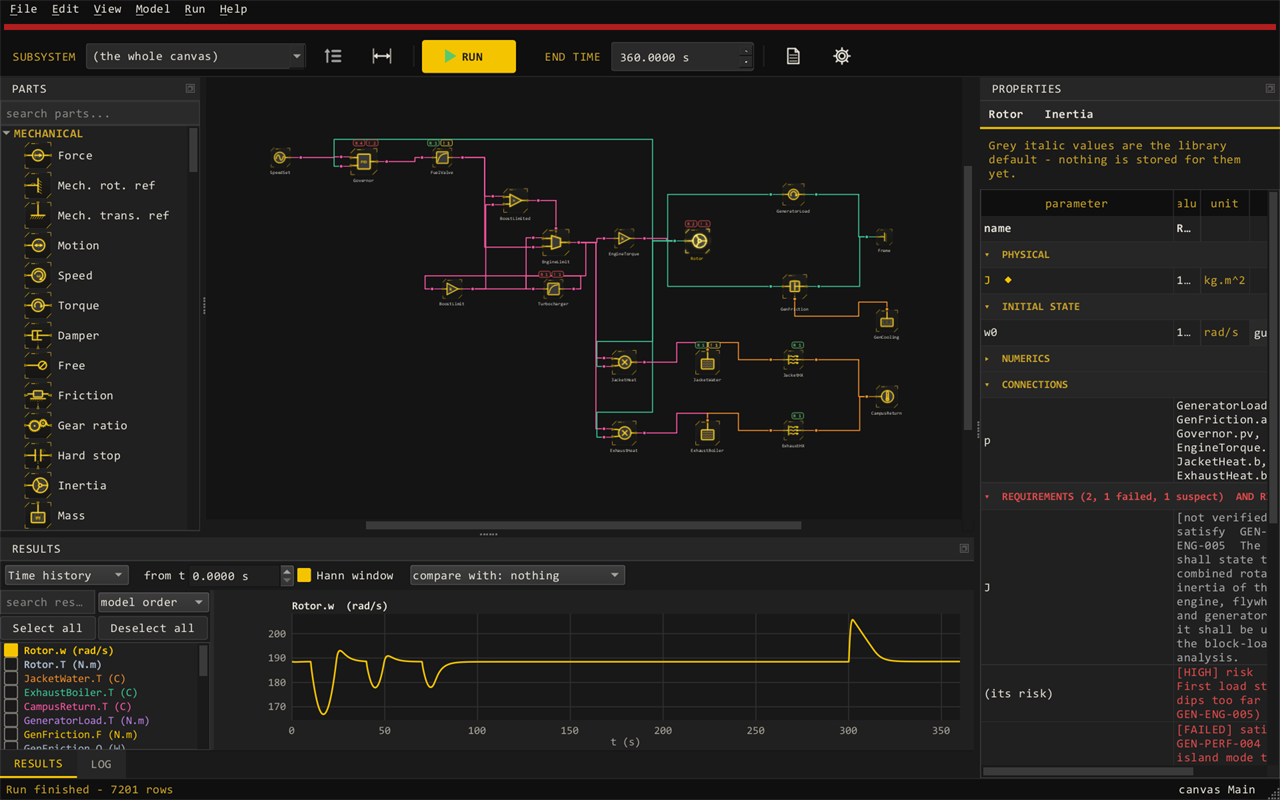
Draw the machine on a canvas — masses, springs, shafts, volumes, orifices, pumps, turbines, heat exchangers, motors, electrical, and control parts — and integrate it in time with a stiff DAE solver.
- Real-gas and liquid property tables, pump and motor maps, missions (time histories)
- Every part checked against exact answers: analytic, energy balances, CoolProp
- Run from the command line too; compare any two runs by CSV
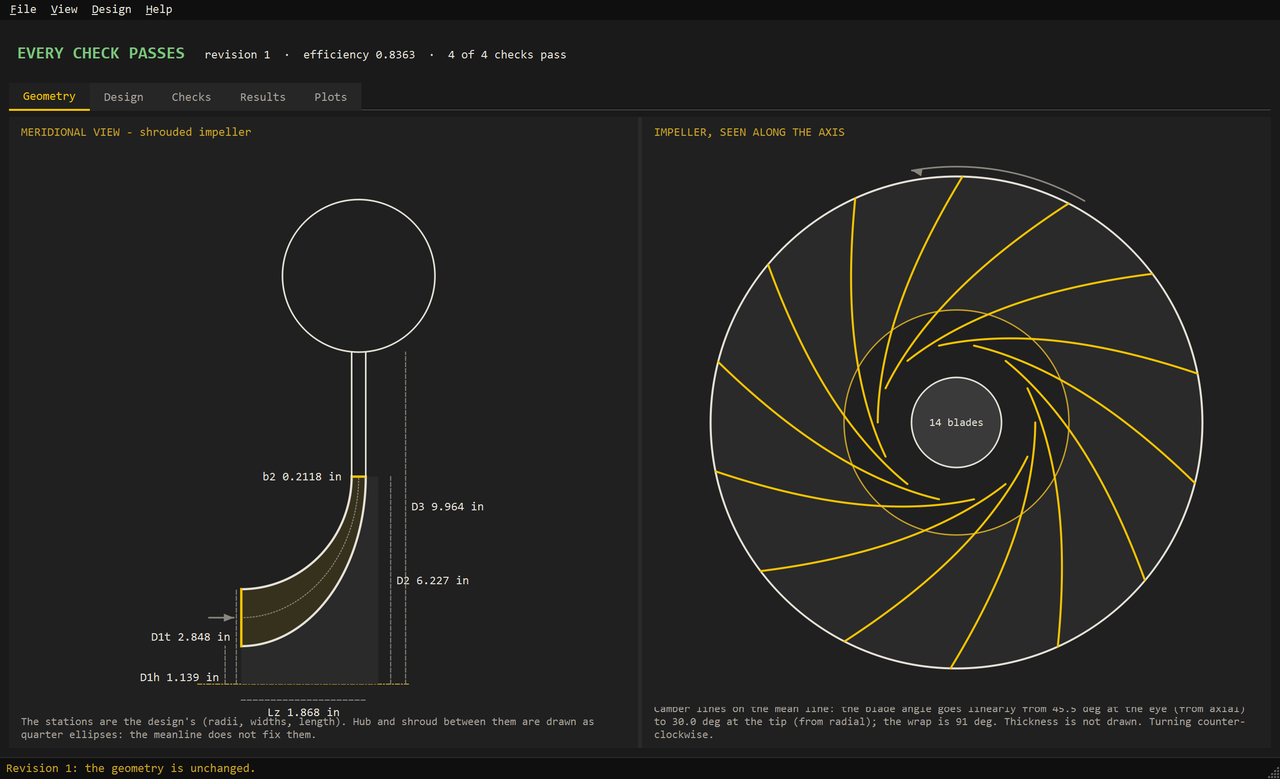
Detailed design, inside Systema. Design a component in depth without leaving the system model: double-click a part, size it for its duty points, check it against its limits, and apply the result — the design then drives that part in the system. A part runs at one of three levels:
- Simple — the part’s own few parameters: the quickest to run, for laying a system out. A new compressor or turbine is a diameter and a pressure ratio, with its efficiency from LOGOS’s own charts
- Detailed — its parameters come from its detailed design: geometry, analyses, checks
- Calibrated — fitted to test data: a measured map, or the design’s loss coefficients fitted to the measured points
What can be designed today:
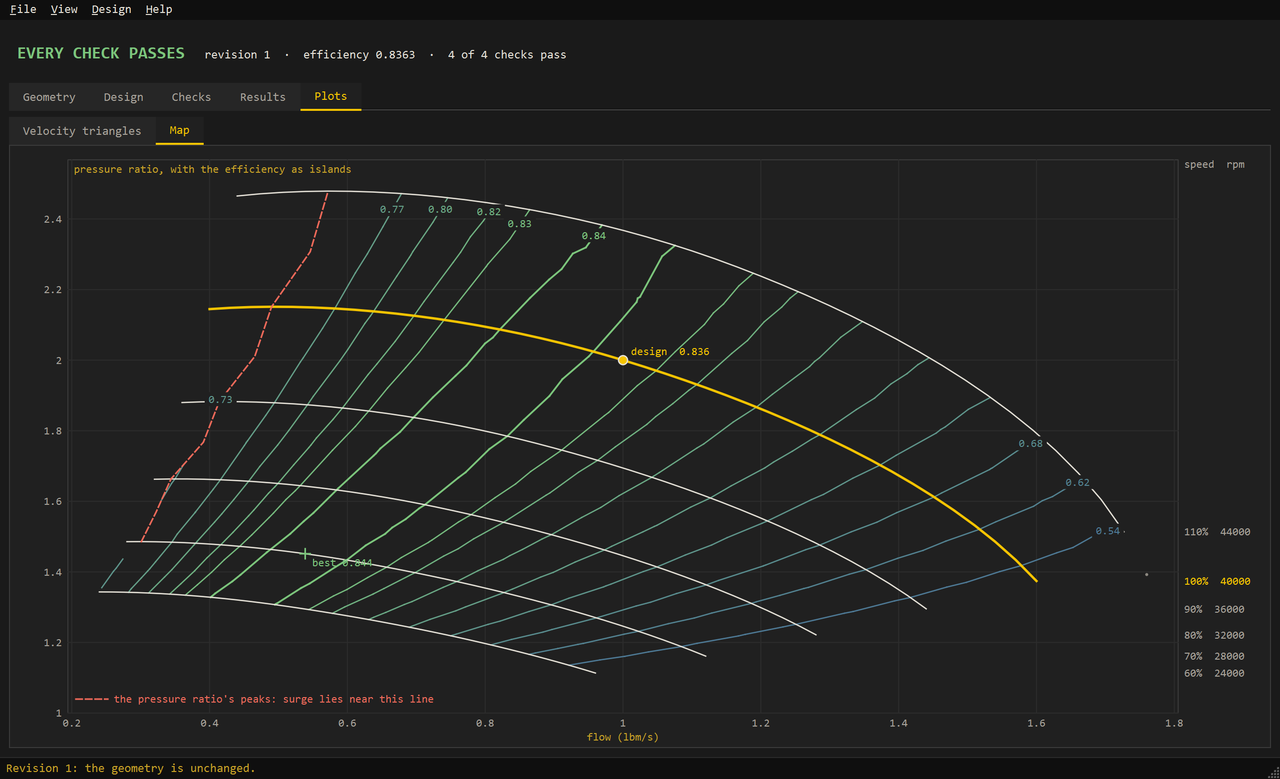
- Centrifugal compressors, with the map and its efficiency islands; radial inflow turbines; centrifugal and Barske (partial emission) pumps
- A synchronous reluctance machine; ball and hydrostatic bearings; labyrinth, face, leaf, Halo, and annular seals
- Printed circuit and finned-tube heat exchangers
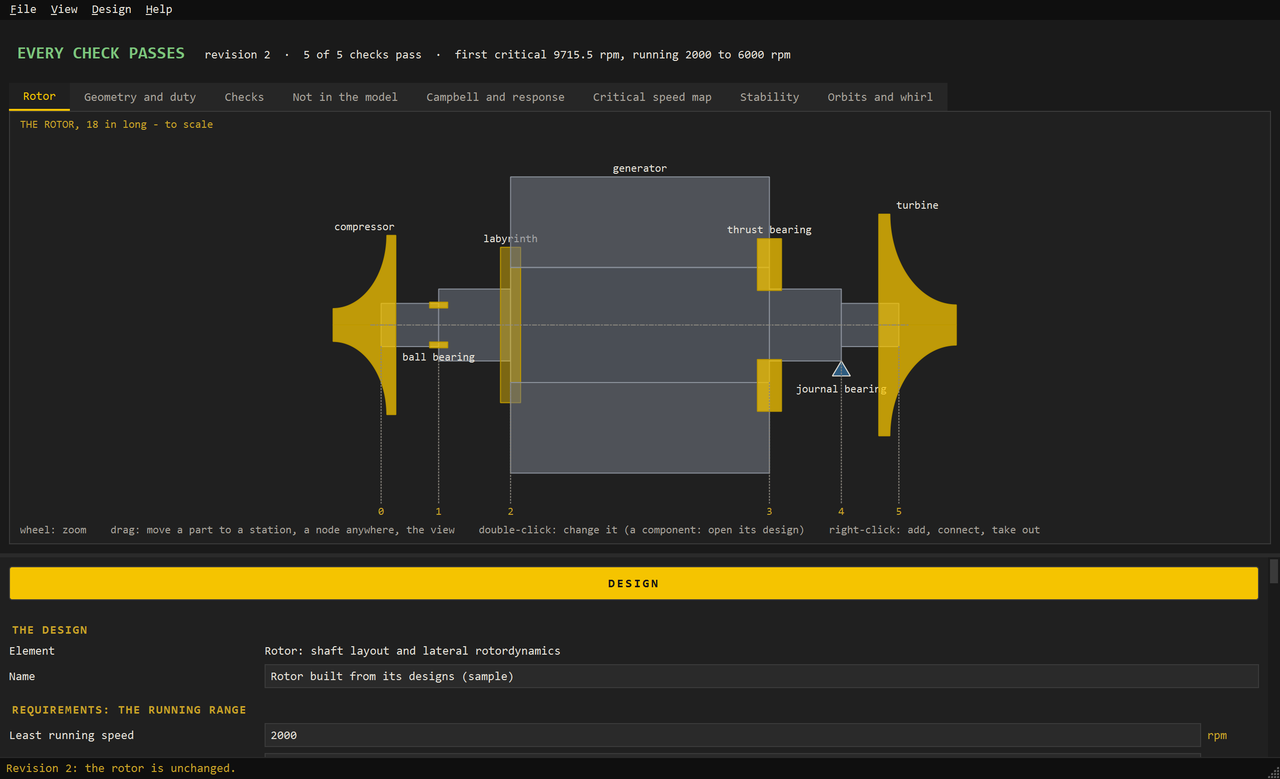
- A rotor tool for the whole shaft: critical speeds, stability, the thrust balance, and the secondary flows
Each kind has the same pages and the same three buttons — automatic design, design, calibrate to test data — and drawings whose dimensions change with a double-click. The pump, leaf seal, and Halo seal models are first cuts; the help says how each kind is worked out and what it was checked against.
Working with an AI tool. LOGOS installs a folder of read-only context files — the model file, every part, the command line, worked models that run — so that an AI tool of your own choosing can build, run, and check a model with you. A first cut. LOGOS itself contains no AI and sends nothing anywhere.
LOGOS Kanon LOGOSKanon.exe
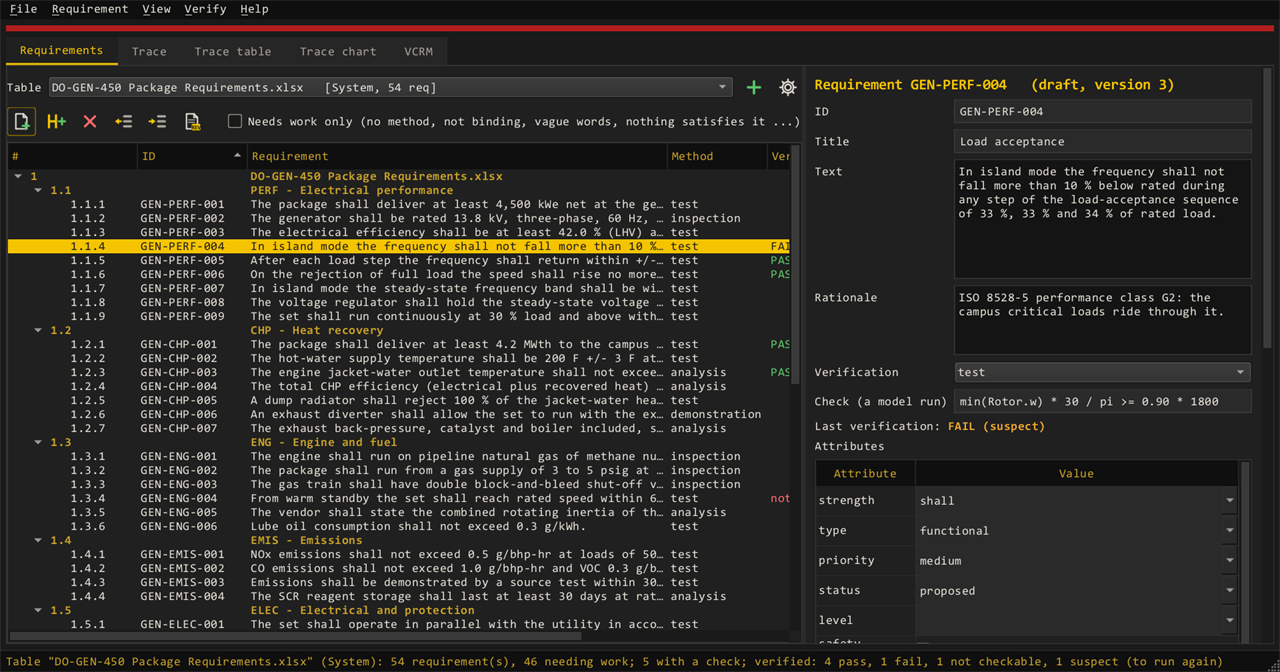
Read the customer’s Word, PDF, or Excel specification on the PC, split it into requirements, and trace each one to its source and to the model parameter that satisfies it.
- Trace, trace table, trace chart, and VCRM views
- Verify a requirement by running the LOGOS model behind it
- No cloud, no AI service: its own document readers, on your machine
LOGOS Hodos LOGOSHodos.exe
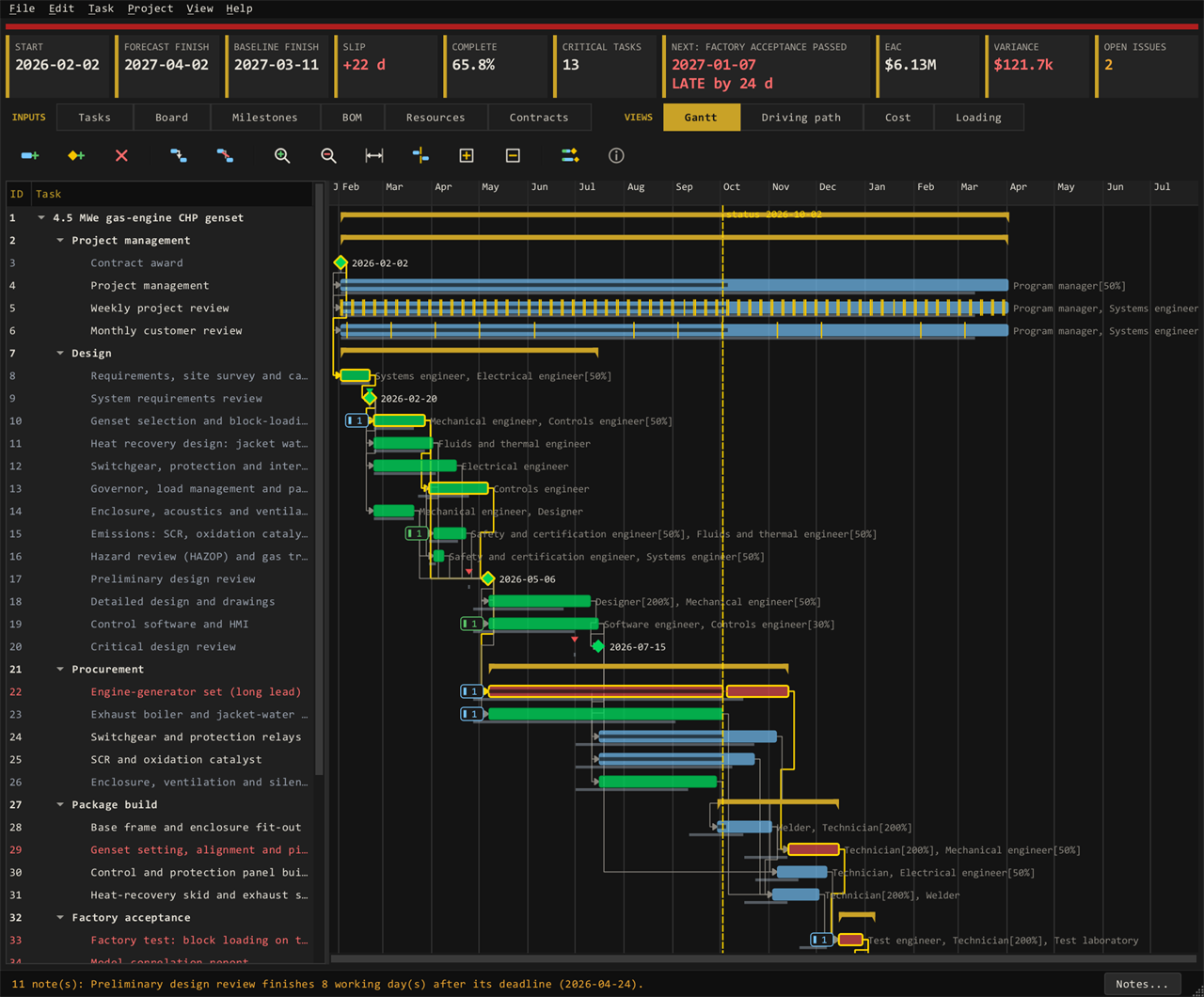
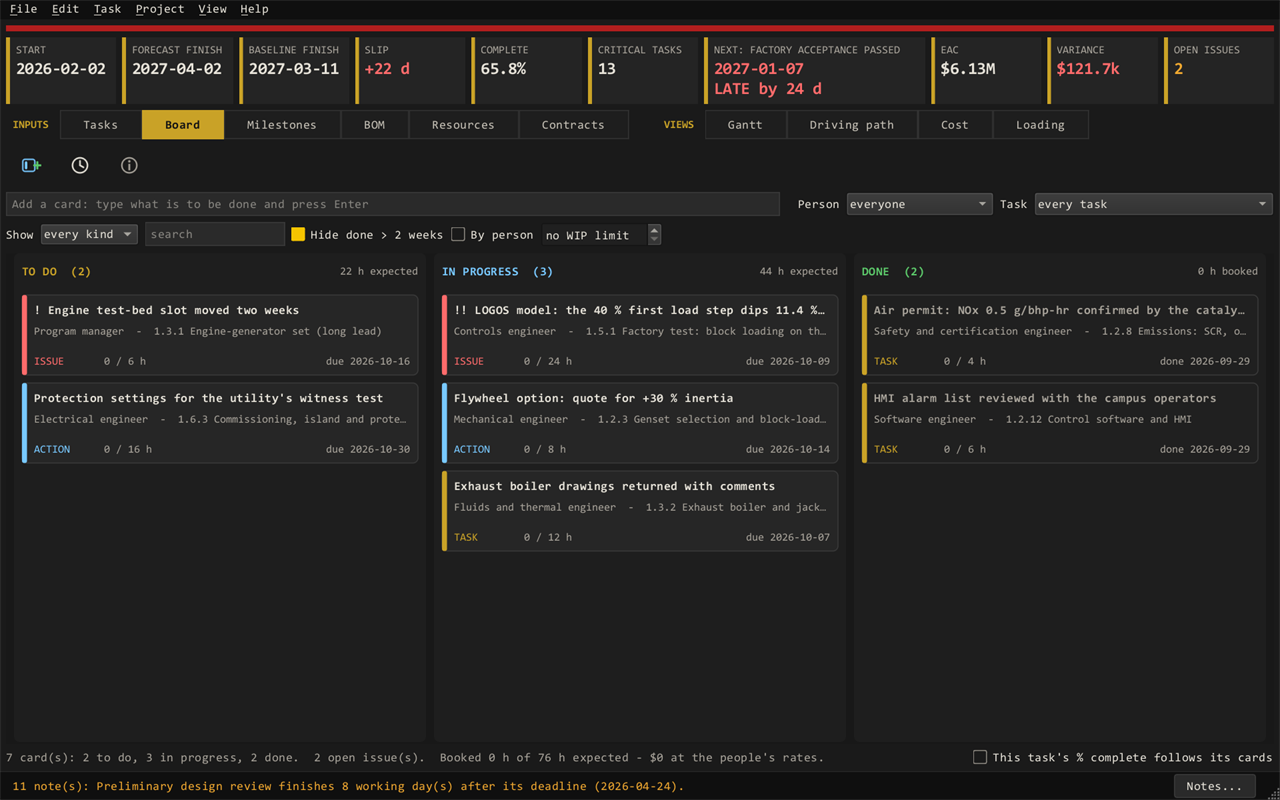
The plan, the money, and the parts: tasks and a Gantt chart with the driving path, resources and rates, earned value, milestones with risk gates, and a bill of material built from the model.
- Export the plan to Excel, laid out like MS Project
- A board for the team; the BoM with routings and orders
- Stakeholders see hours and dates, never labour rates
LOGOS Kindynos LOGOSKindynos.exe
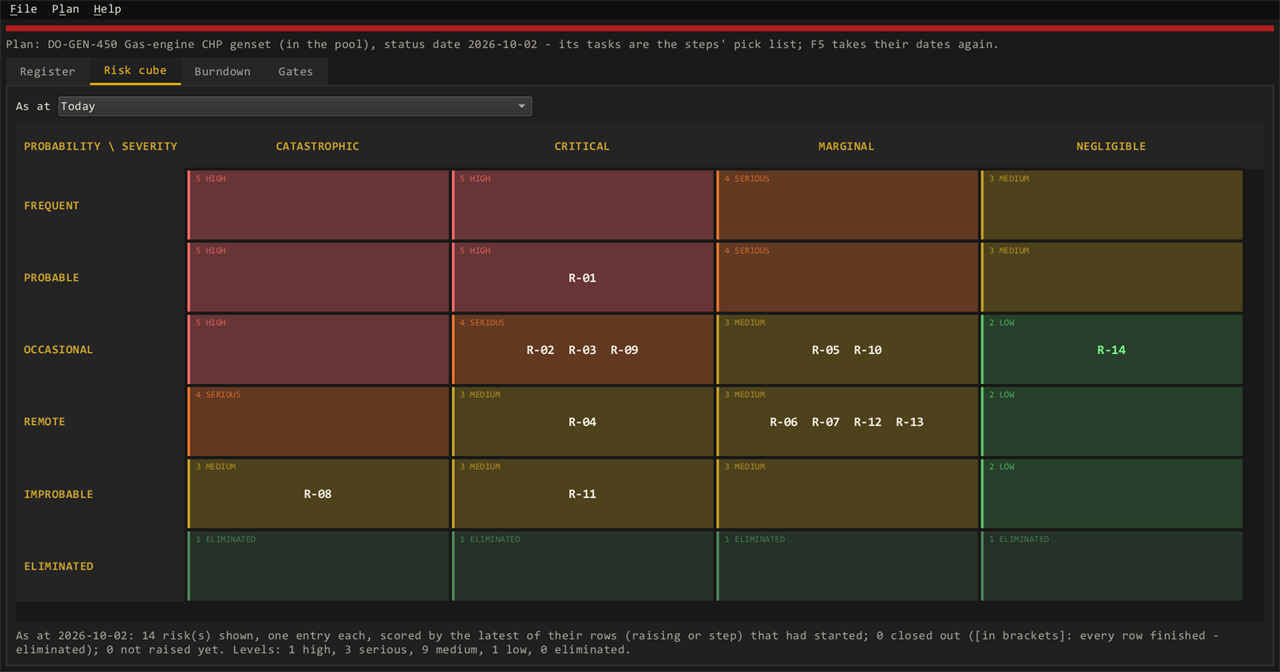
The risk register, the risk cube, and the burndown — with each mitigation step tied to a task in the plan, so a late task shows up as a risk that is not burning down.
- Likelihood and consequence scales your way
- Risk gates on the plan’s milestones
- Export the risk log to Excel
LOGOS Agora LOGOSAgora.exe
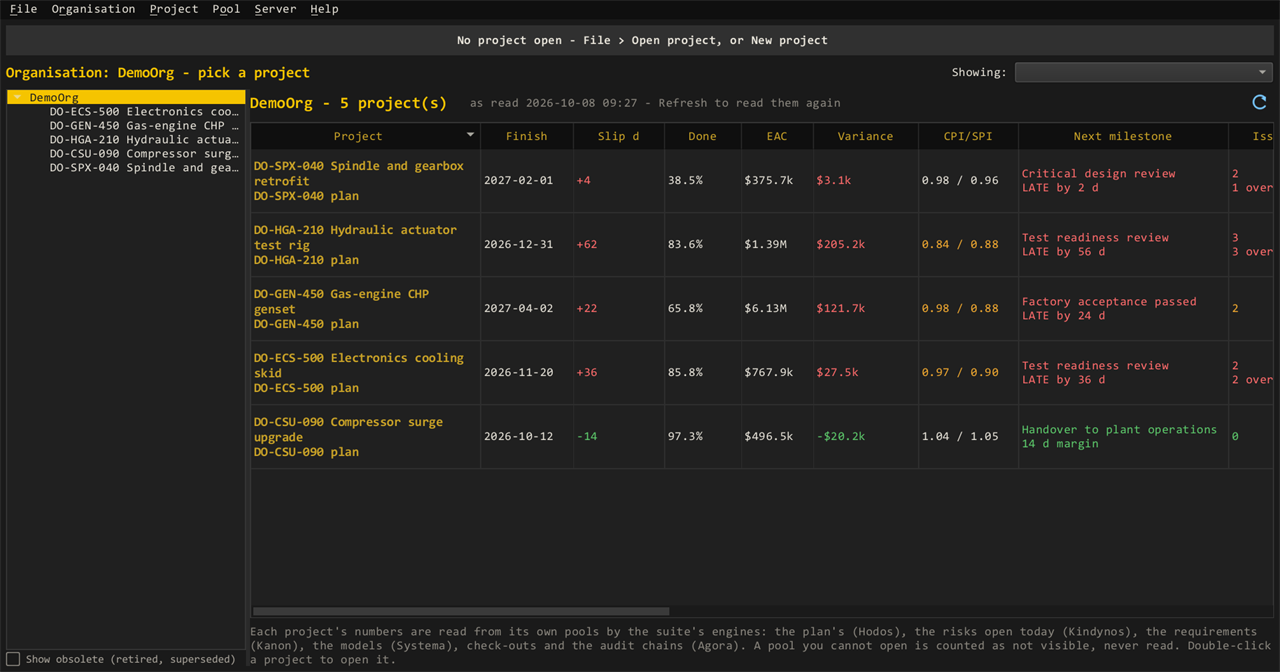
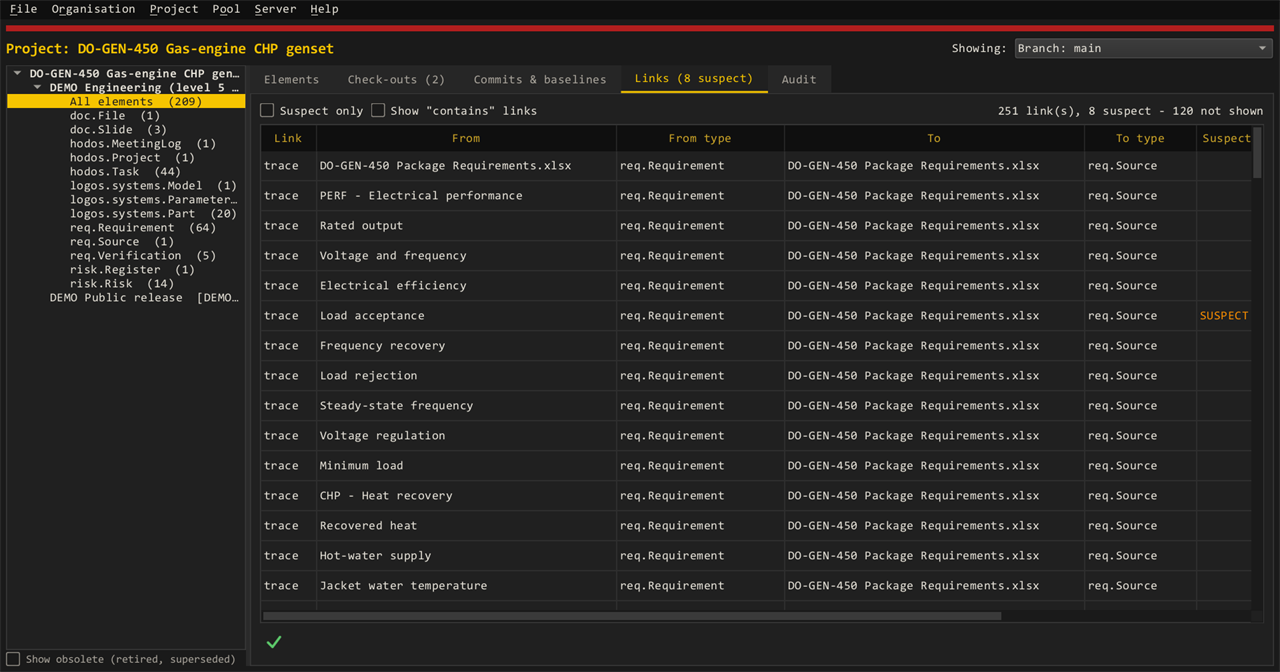
The window on your data pools: every model, plan, requirement, and risk versioned, with check-out and check-in, baselines, links, and a hash-chained audit log. An organisation view rolls up every project’s schedule, cost, and risk.
- A pool is one file on your own storage — no server to run
- Classification banners that can only be raised
- Verify the audit chain: it names the first row changed outside LOGOS
Traceability you can show an auditor
Every link is stored in the pool: a requirement to the paragraph it came from, to the parameter that meets it, to the run that verified it. Change the source document and the links that depend on it turn suspect until someone checks them.
A baseline freezes the lot at a design review. The audit log records who changed what, from which machine, and when — and nothing is ever deleted: a change is a new version.
Security & deployment
Built for managed networks
Native Windows x64 programs, Authenticode-signed releases. No telemetry, no update check, and no licence check-in: LOGOS sends nothing on its own. Your data stays in pool files on storage your SSP already approves.
Licensing that never phones home
Each PC is activated once with a request code: paste it into My Account from any connected computer, or email it to us, and load the activation file it gives back. After that LOGOS needs no network at all, so it suits air-gapped and restricted networks as they are. An organisation can instead run its own LOGOS Server, on its own network, for sign-in and floating seats; that server takes its licence from us online, or, air-gapped, from a file.
One installer, a security summary
An MSI installer, a CycloneDX SBOM with every file’s hash, group-policy switches (for example, turn off bug reports), and a plain security summary for your IT review.
Roadmap
What we are building next for LOGOS Systema. Plans, not promises: the order and timing may change, and what our users ask for moves things up.
Two earlier lines of this roadmap are now in the program, as first cuts, under detailed design: pump design from a meanline (the pump’s curve goes to the pump part), and electric machine design (a synchronous reluctance machine).
- ToolsMechanism tool
What the rotor tool is for a shaft, for linear mechanisms: valves, actuators, and the like.
- ToolsBoard tool
Help with routing multi-layer circuit boards, with a transient timing simulation on LOGOS’s electrical parts.
- ToolsFPGA tool
An FPGA laid out from tested logic blocks, with VHDL written automatically and versions kept in LOGOS Agora.
- ToolsCable design tool
A model’s electrical nodes bundled into cables — gauges, twist, shielding, connectors — with conducted EMI and ringing simulated.
- Detailed designNested shafts
Concentric spools in the rotor tool, as in a gas turbine, with the bearings between them.
- Detailed designMotor cooling and windings
Integrated cooling channels, and detailed winding and end-turn layouts, in the machine designer.
- Detailed designCombustion chamber
Two or more fluids in, heat released, a new fluid mixture out.
- Detailed designMulti-stage flow paths
Compressor and turbine designs of several stages: axial, radial, or a combination.
- Detailed designMore kinds of component
Other compressor, turbine, and pump types; permanent-magnet, induction, and switched reluctance machines; magnetic, roller, foil, and hydrodynamic bearings; more seals; gearboxes; shell-and-tube and plate exchangers, condensers, and evaporators; thermal stores; power electronics.
- NuclearTRISO nuclear sources and shielding
Heat sources for TRISO-fuelled cores, and shielding calculations.
- ControlsFOC firmware example
A field-oriented motor control example, with its controller written as firmware.
- AutomationScripting
Build models, run them, and post-process results from scripts.
- PerformanceGPU acceleration
Large models, sweeps, and Monte Carlo runs on NVIDIA and AMD GPUs.
- PerformanceNPU physics modelling
Physics models run on the PC’s neural processing unit.
Pricing
Annual subscriptions, per seat. A seat is one named PC; one key can carry many seats. Mix Full and Stakeholder seats as your team needs.
Full seat
Pricing announced at launch
- All five programs: Systema, Kanon, Hodos, Kindynos, Agora
- Build, edit, and run models; save to the pool
- Write requirements, plans, and risk registers
- Check out, check in, baseline, export
- Updates and support for the year
Needs a beta tester code · no payment taken
Stakeholder seat
Pricing announced at launch
- Open every program read-only
- Plot results and compare runs
- Comment on models, plans, requirements, and risks
- Approve the requirements assigned to you
- Use the team board
- Edit or save models, plans, or registers
- See labour rates or costs derived from them
Needs a beta tester code · no payment taken
Buying ten seats or more, a site licence, or for a university? Contact us for quantity and academic pricing. We can invoice by purchase order.
Licensing
- Buy seatsCheck out here, or ask us for a quote. When the order completes, your licence key arrives by email and appears in My Account.
- InstallRun the signed installer on each PC. No internet access is needed.
- ActivateStart LOGOS and type in the key: it shows a request code for that PC. Paste the code in My Account → LOGOS licences & download and load the activation file it gives you.
- WorkThe activation runs to the end of your licence term; renew and activate again to carry on. Activating the same PC again keeps its seat.
Air-gapped or restricted network?
Every install works offline. Activate the request code in My Account from any connected computer, or email it to licensing@logosmodular.com and we reply with the activation file.
Moving a seat
New PC? Ask us to free the old one and activate the new one — same key, same seat.
Renewals
We contact you before your year ends and renew by hand — no surprise auto-charges. Keys keep working to the end of their term. Questions: licensing@logosmodular.com.
Questions
What does a seat cover?
One named PC, for a year, with all the programs that seat type allows, plus updates and support. A key can carry many seats.
What is the difference between Full and Stakeholder?
A Full seat creates and changes things. A Stakeholder seat is for reviewers, managers, and customers: they see the models, plans, requirements, and risks, plot results, comment, and approve what is assigned to them, but cannot edit, and never see labour rates.
Does LOGOS need the internet?
No. LOGOS sends nothing on its own: each PC is activated once, with a request code and an activation file, from any connected computer (or by email). The only thing that can ever go out is a bug report a user chooses to send, which IT can switch off by group policy. Models, plans, requirements, and risks never leave your network.
Where is our data kept?
In pool files on your own disks or shares, under your own permissions. Nothing is uploaded to us or to any cloud.
Can we try it first?
Yes — ask us for an evaluation key and a walk-through on your own problem.
How does the beta work?
While LOGOS is in beta, seats are not sold yet. Beta testers get a code from us: choose your seats, press Beta Tester, enter the code at checkout, and your licence key arrives by email. No payment is taken. Ask us to join.
Which Windows versions?
64-bit Windows on x64 PCs. The security summary for IT lists every file, library, and setting.
Can we pay by purchase order or invoice?
Yes. Contact us with the seats you need and we will send a quote.
Download
Licensed users download the installer from My Account → LOGOS licences. Release notes and the security summary for IT come with it.
# check the copy you received
PS> Get-AuthenticodeSignature .\LOGOS-<version>.msi
PS> Get-FileHash .\LOGOS-<version>.msi  # compare with SHA256SUMS.txt
Report a bug or request a feature
The fastest way is Help → Report a bug inside the program, which can attach the log for you. From here works too: